
Key levels
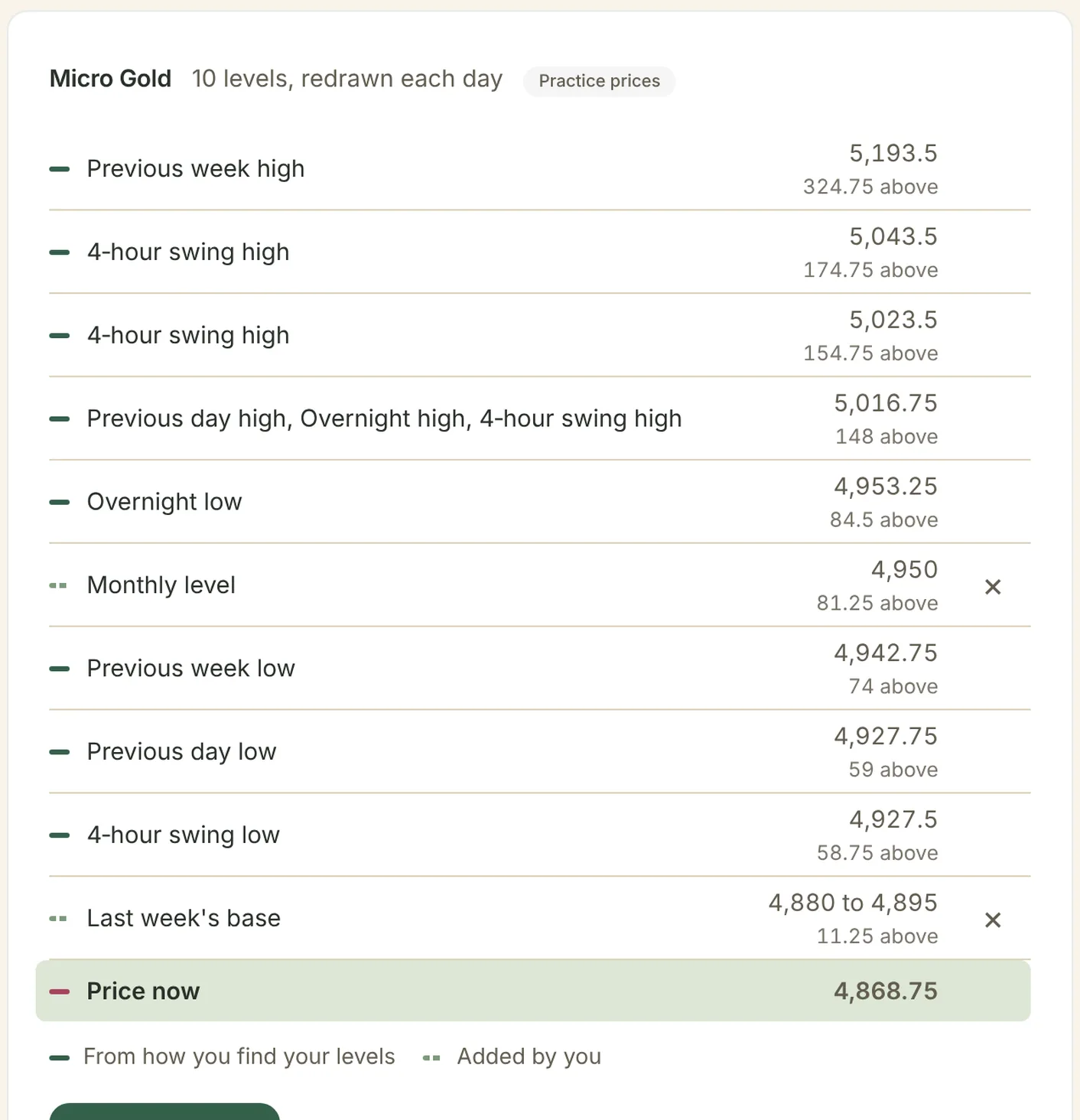
The levels you watch, on one map.
Mark the levels you trade from for each market. Backtest and the Bot can use them in your strategy.
How it works
Fill your map your way.
Describe how you find your levels, add your own manually, or both.
STEP 1
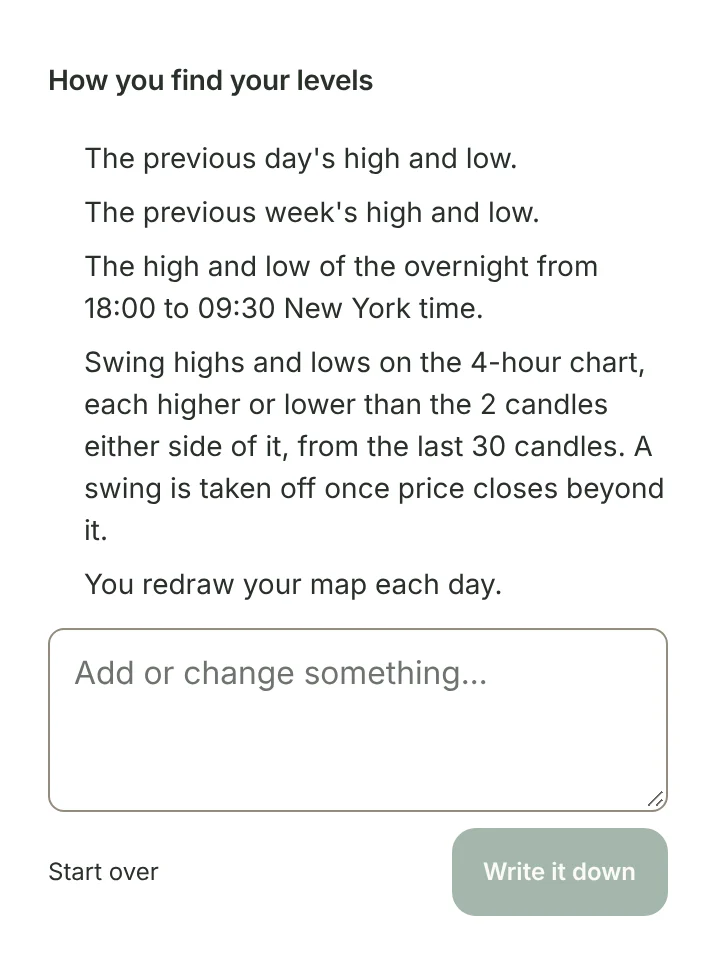
Describe how you find them
Write it the way you would tell a friend. Wildflower writes it back as a short list, so you can check it says what you meant.
STEP 2
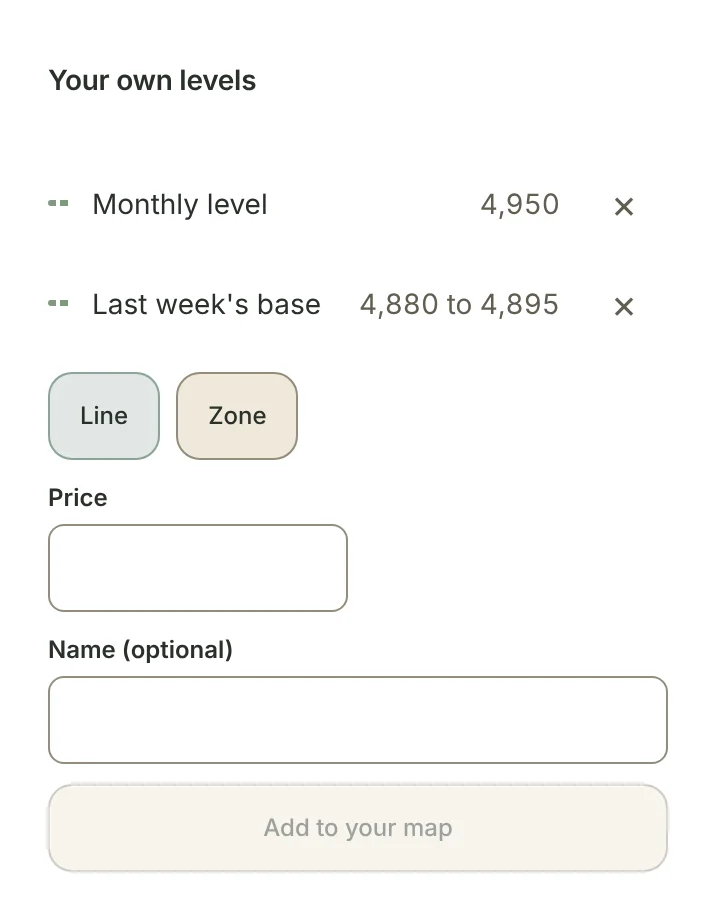
Add your own
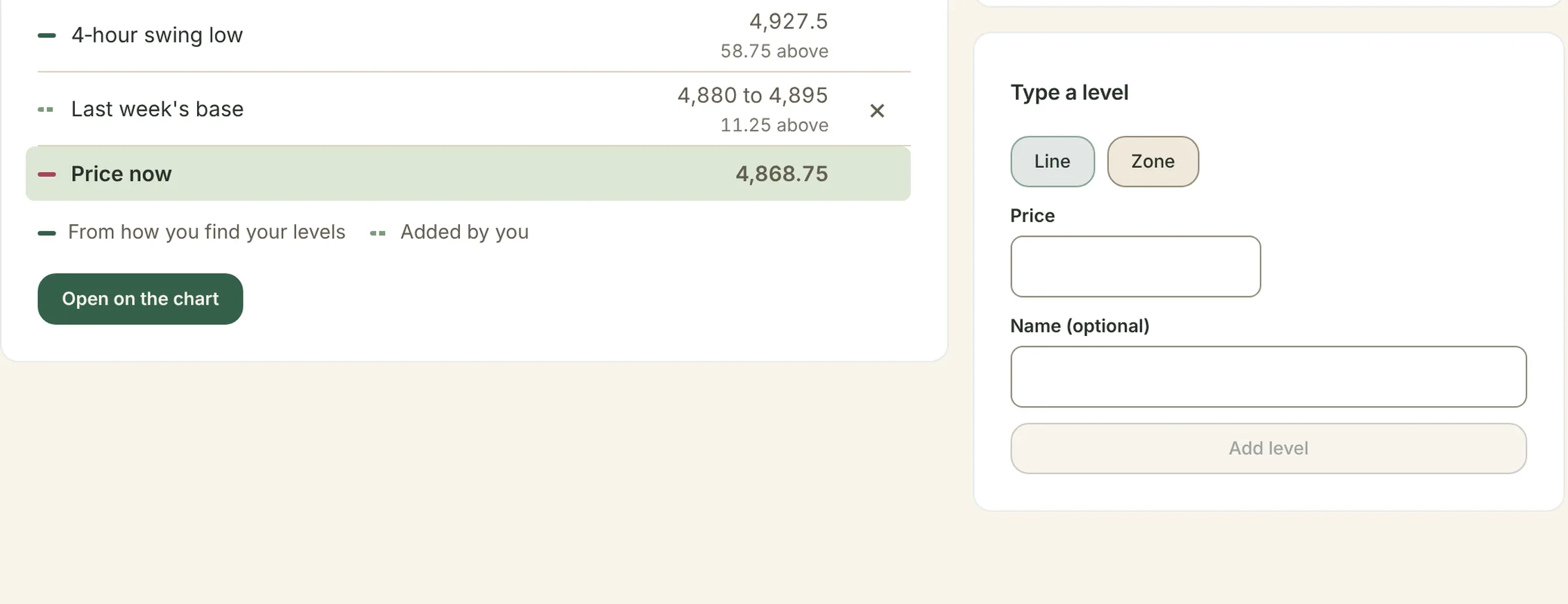
Choose a line or a zone, type the level, and give it a name if you like. Or click the chart to pick it.
STEP 3
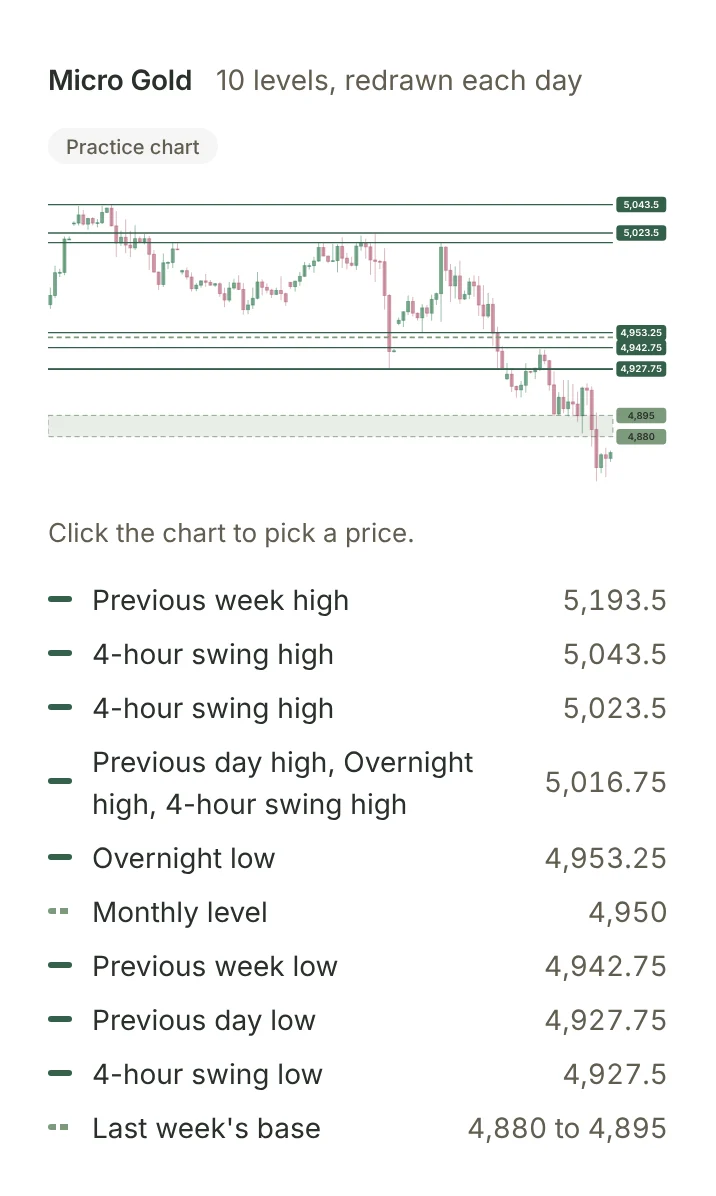
See your map
Each market has its own map. Your levels are drawn on the chart and listed by name.
Automatic or manual
Create your levels automatically. Or draw them yourself.
Have AI create your levels from your instructions, or adjust and draw them manually.
Draw your levels
Click the chart to pick a level, or type it. Add a line or a zone, and name it.
Targets snap to them
Your target can move onto the nearest level on your map.
No trade when it’s too close
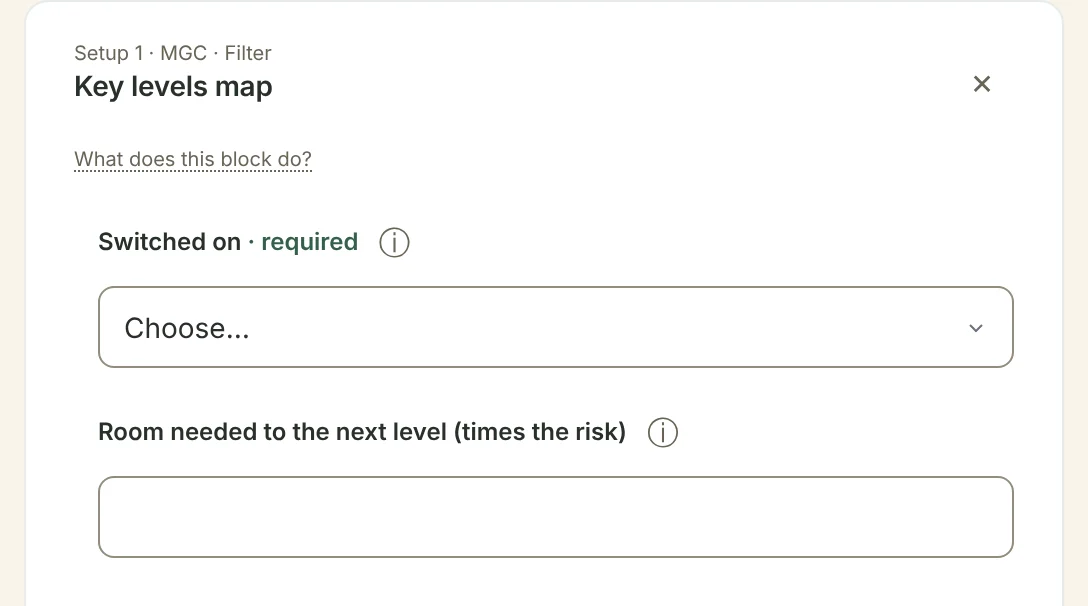
Skip a trade when your next level leaves too little room. You set how much is enough.
Check it daily or weekly
Open your map before you trade. Remove the levels that are done and add new ones.
Describe it
What a description can draw.
In your description, also say whether your map is redrawn each day or each week.
In your strategy
Backtest and the Bot use the same map.
Two blocks in your strategy can read your map. You choose whether to use them, and every number in them is yours.
- The Key levels map block can skip a trade when the market is too close to your next level. You set how much room is enough.
- The Fixed target block can move your target onto a level on your map.
FAQs
Does Wildflower choose my levels?+
No. You describe how you find them, or add them yourself. Nothing is filled in for you.
Can I add a level manually?+
Yes. Choose a line or a zone and type the level, or click the chart to pick it. You can give each one a name.
Can I have a map for more than one market?+
Yes. Each market has its own map.
What happens when a contract rolls?+
A level you add manually stays until you remove it, or until the contract rolls to the next expiry. Add it again if you still want it.
Is my chart data sent to Wildflower?+
No. The levels your description draws are worked out on your own device.

Your levels, on one map.
Key levels comes with the Trade and Automate subscriptions.