
Your first trades on the Wildflower demo
Wildflower Trading School · Lesson 1.6.3.3 · This exercise needs a Trade subscription

This is the third of five lessons on setting Wildflower up the way you'll trade. By the end of this one, you'll have placed a trade on your broker's live prices, with practice money, inside the limit you set yourself.
1 of 13
What you'll learn
- The demo uses your broker's live prices, with practice money. No real orders.
- Set your Risk per trade under Your limits, and press Save to account.
- The plus button stops at your limit, so you can't add a contract too many.
- Read what it could lose and make before you press Confirm.
- A demo trade fills in the next 15 seconds, plus spread and slippage.
Exercise
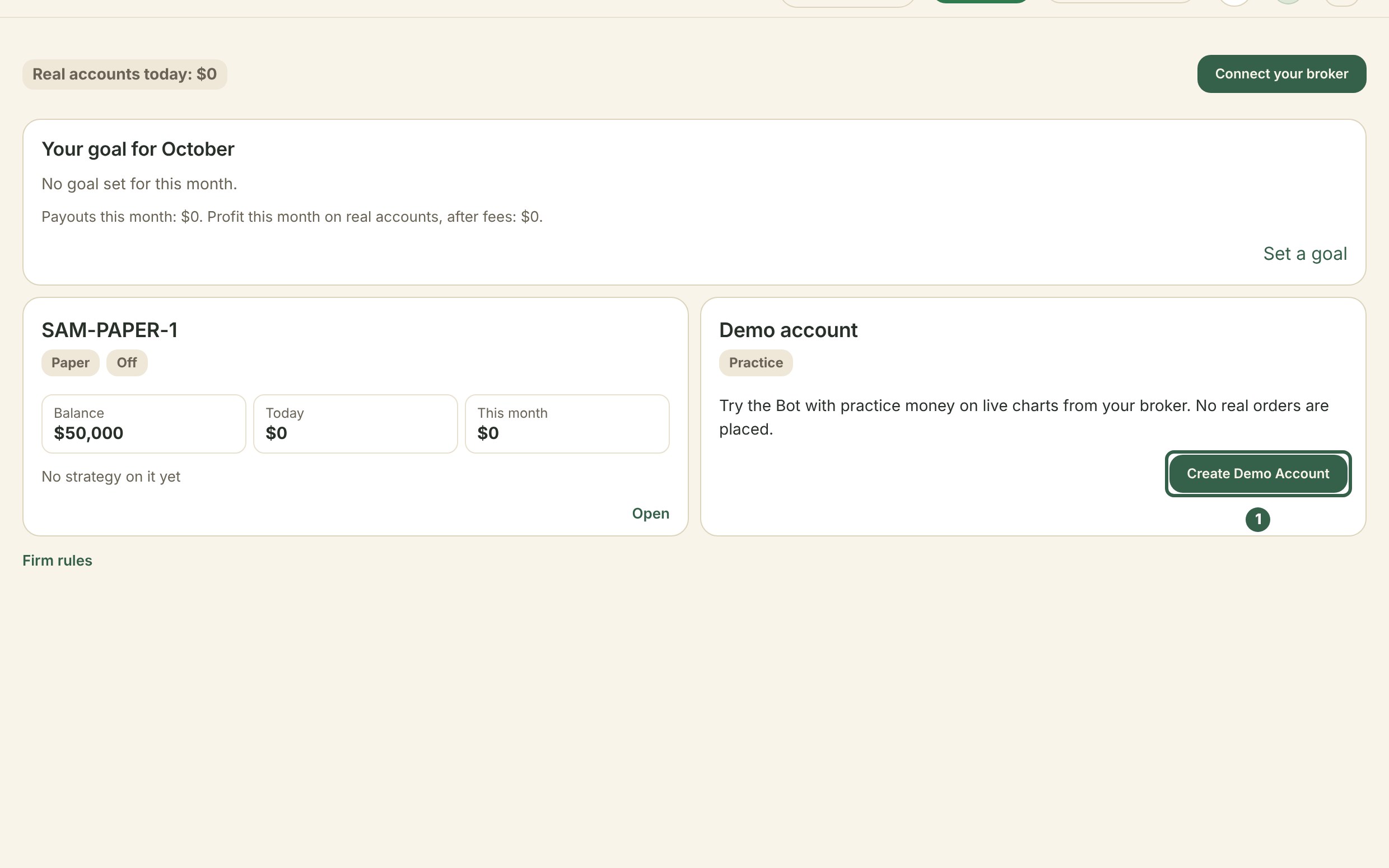
- Open Accounts and press Create Demo Account.
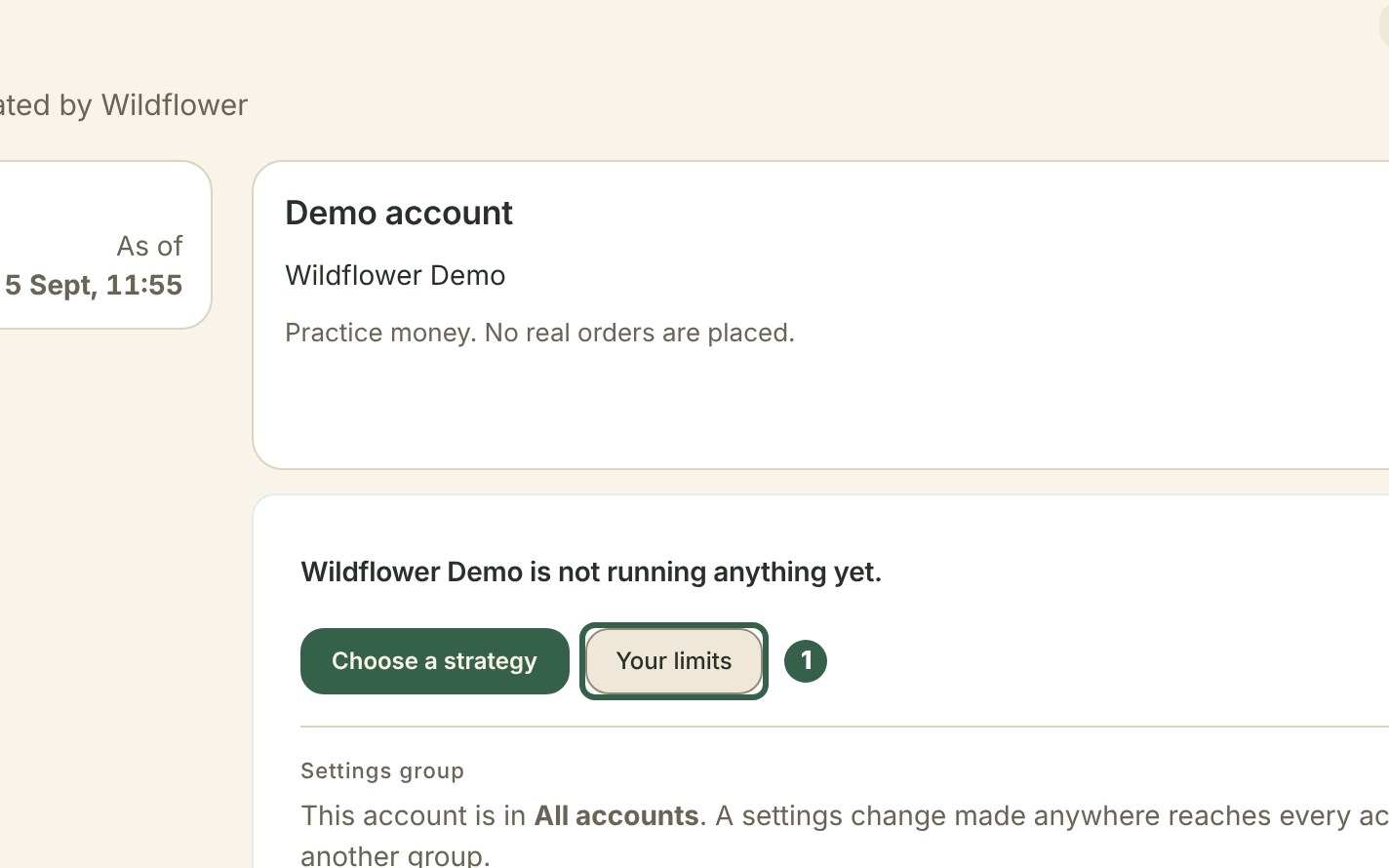
- Open the demo, press Your limits, pick your Risk per trade and press Save to account.
- Open Charts and check it says Wildflower Demo.
- Press Buy or Sell, type your stop and target in ticks, and press + for each contract.
- Read what it could lose and make, out loud, then press Confirm.
- Close it with Close on the tag, or let the stop or target close it.
- Help article The Wildflower Demo account
- Help article Trade manually from the chart
Quick check
1. Risk per trade $200, stop 40 ticks, $1 a tick. What's the most contracts the panel allows?
2. Where do the Wildflower demo's prices come from?
3. On the demo, price reaches your stop and your target inside the same 15 seconds. Which counts?
0 of 3 answered.
Finished this lesson?
Tick it off and keep your place
Read the full notes
In Wildflower you open Accounts and press Create Demo Account. On the demo's page, Your limits sets your Risk per trade. Then in Charts, on the Wildflower Demo, you press Buy or Sell, type a stop and a target in ticks, choose contracts within your limit, read what it could lose and make, and confirm. It trades on your broker's live prices, with practice money.
What you'll do. This is how you place trades on the Wildflower demo. By the end you'll have placed a trade on your broker's live prices, with practice money, inside a The most money a trade is planned to lose if its stop loss is hit, before slippage and fees. Each trader chooses their own.More in the glossary you set. It needs the Trade or Automate subscription, your broker connected and the Wildflower app running. No broker yet? The same panel works free on practice money.
Why the demo. It runs on your broker's live prices with practice money, and no real order is placed. On a new screen people slip, pressing Sell instead of Buy or adding a contract too many. On the demo a slip costs nothing, on the same Place trade panel as a real account.
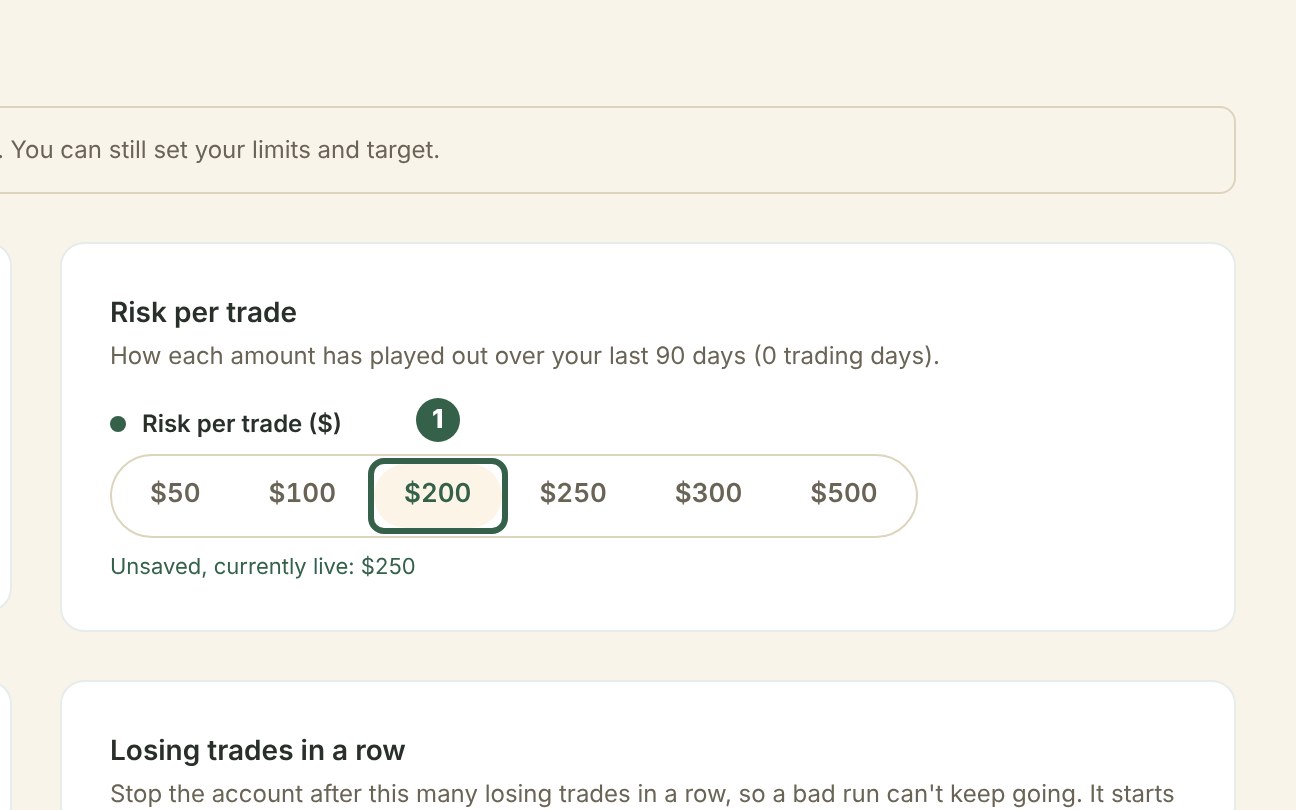
Your Risk per trade. It's the most one trade can lose at its stop. Wildflower won't place a trade that could lose more. Use the number you'd use on a real account, so the demo trains the same habit. Risk per trade explains how traders set theirs.
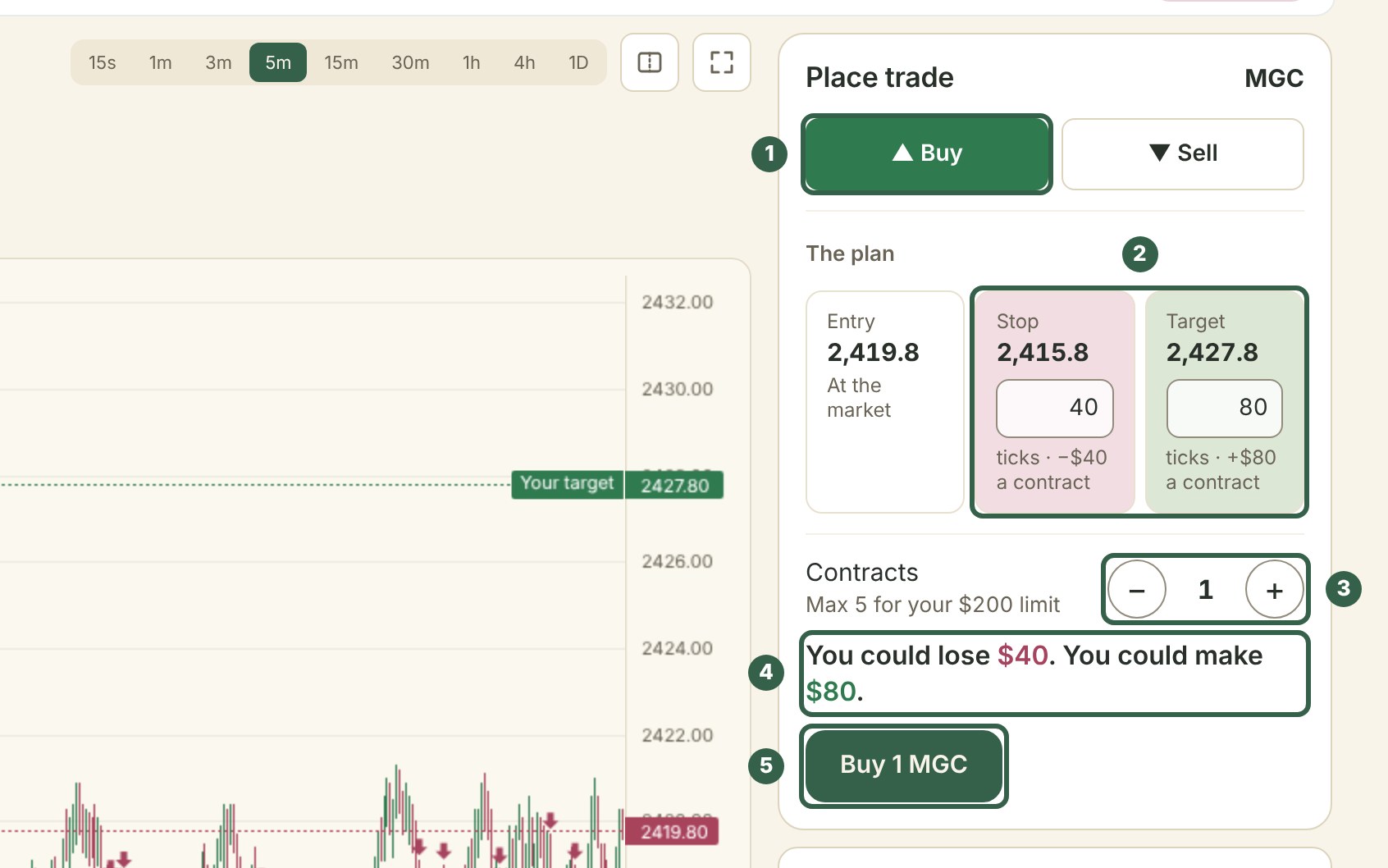
- Open Charts and check it says Wildflower Demo beside the market.
- Press Buy or Sell in Place trade.
- Type your stop and target in ticks. Both are needed.
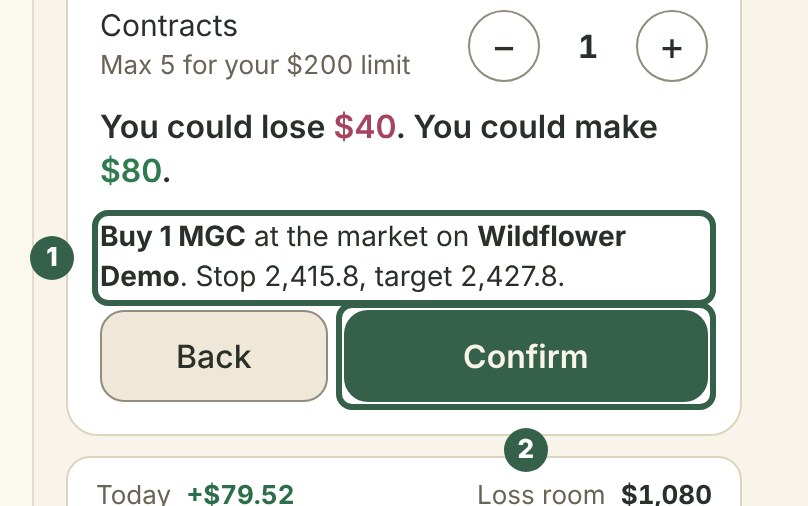
- Press + for each contract. The line under Contracts says the most your limit allows.
- Read "You could lose… You could make…", press Buy (or Sell), read the summary and press Confirm.
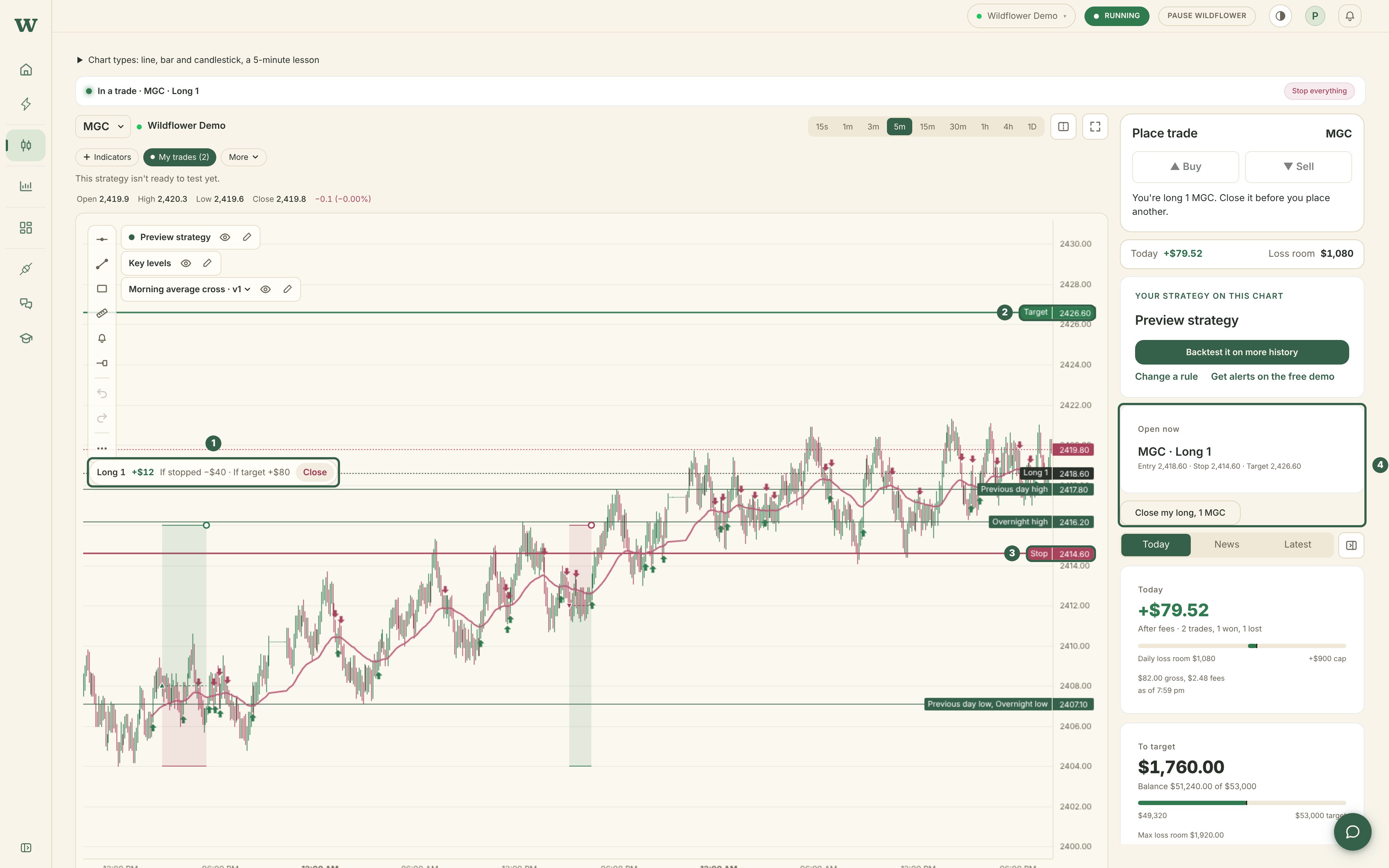
- How it fills. At the first price of the next 15 seconds, plus a The gap between the ask and the bid: the ask minus the bid.More in the glossary and The difference between the price you expected and the price your order filled at.More in the glossary. If price reaches your stop and target inside the same 15 seconds, the stop counts.
- One trade at a time. Buy and Sell wait until it closes. A close can take up to about 30 seconds.
- Also on the demo. Today's rules, and notes on your demo trades in Journal. The help articles The Wildflower Demo account and Trade manually from the chart have more.
How traders use the demo. We can't tell you which to choose. These are the common choices. Some pick a number of demo trades in a row with no slips before a real account goes on. Some trade their written plan on the demo for a week or two first. Some keep the demo beside a real account and try every change there first. Practice money never feels quite like real money.
Worked example
Made-up numbersSam's first demo trade
Sam is made up. A buy on micro gold (MGC), $1 a tick for each contract. Stop 40 ticks, target 80 ticks. His Risk per trade is $200.
- One contract could lose 40 × $1 = $40, and could make 80 × $1 = $80.
- Five contracts could lose $200. That's his limit, so the panel says Max 5.
- A sixth would make it $240, over $200, so the plus button stops at 5.
Sam takes one contract. The panel says "You could lose $40. You could make $80." He reads it out loud, then presses Confirm.
Trading is risky. You can lose money. This lesson shows how Wildflower works. It isn't advice.