
Replay it and trade it yourself plays past days candle by candle. You take or skip each trade your rules find, then see your choices next to your rules.
Choose Test, then Replay it and trade it yourself.
Two charts
- Practice chart. Free. Made-up prices, so you can learn the controls. No results at the end.
- Your own chart file. Needs the Backtest plan, which opens first if you don't have it. You get results at the end.
Seen your dates before? Turn on Hide the dates to replay days you haven't seen, with their dates hidden.
Watching
Play, pause, step and change speed. Step back to look; your choices stay. Choose 5 min, 15 min, 1 hr, 4 hr or Day. Your rules' own lines, such as a moving average, are drawn up to the candle you're on. You can draw yesterday's high and low, and your own lines under Draw.
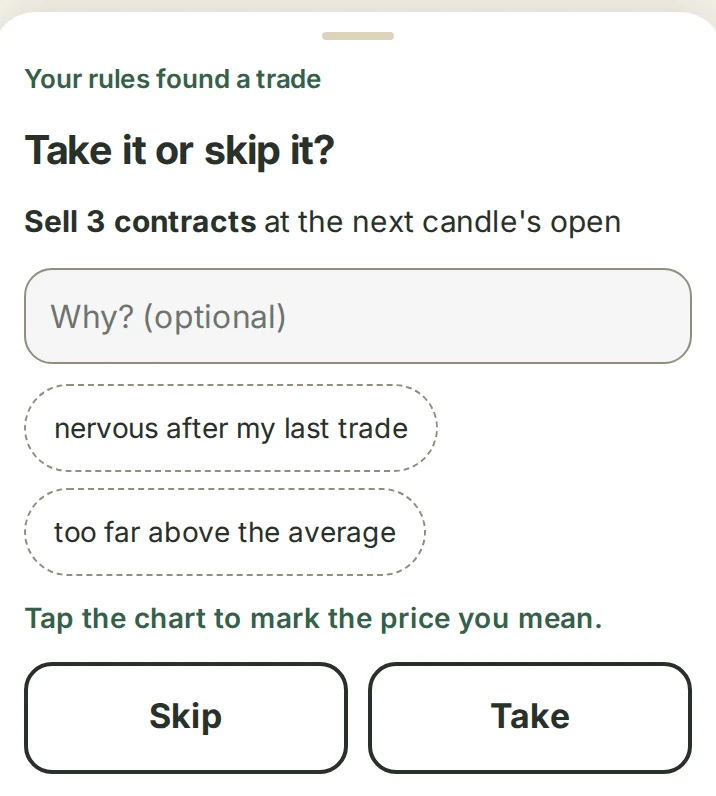
Take it or skip it?
The replay stops at each trade your rules find, showing the entry, stop and target. Choose Take or Skip. Under Why? (optional) you can add a short note. Moving the stop or target before you take it counts as a change.
Your own trades
Choose Trade, then Buy or Sell, the entry and the contracts. Every trade has a stop. Drag the red or green edge on the chart to move the stop or target. A limit or stop entry waits: Change or Cancel order.
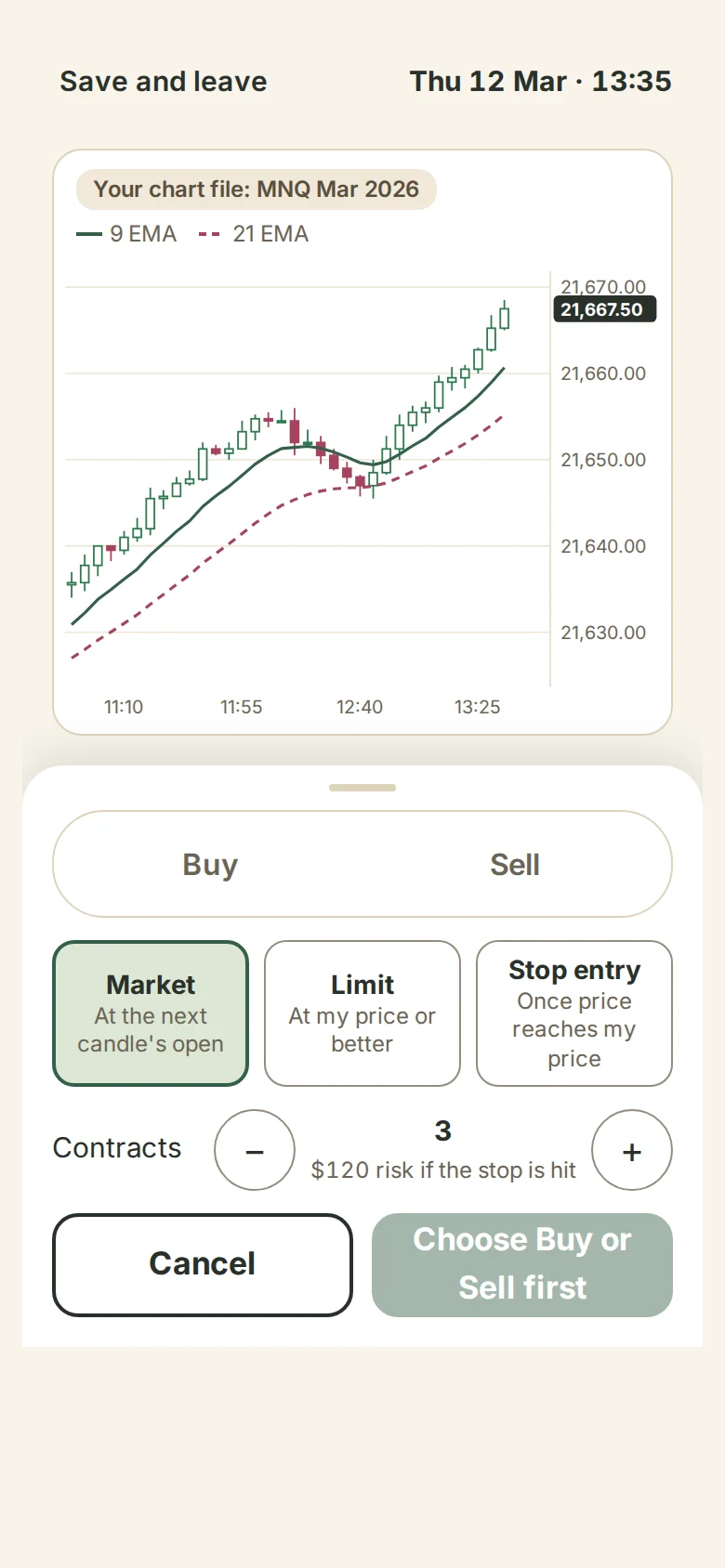
Fills work as the Bot's do: a choice takes effect at the next candle's open, with the Bot's slippage and fees. You hold one trade at a time.
An open trade
Choose Close all 3 now (the number is your contracts), Close 1 of 3, Move stop to my entry, or move your stop or target.
If your exit rule closes at a candle's close, the replay pauses: "Your exit rule says close now". Choose Let it close or Keep it open. Your stop and target stay either way.
Saving
Your progress saves after every choice. Save and leave, then Carry on where you left off on the same device. Finished replays are in My backtests as "Traded it yourself". Your account keeps your choices and notes, never your chart's prices.
At the end, Your notes lets you add or change a note before you see results. A note added after is marked and left out of the groups.
Your rules and you
This shows your rules' result and yours, after fees, and how many of their trades you took, then the trades you skipped, your own trades and the exits you changed.
It says when there are too few choices to tell skill from luck.
Your notes and choices
Choose Look at my notes and choices. It groups your notes, most used first, and says how many assistant questions you have left this month. It never tells you what to change: "Should I add this?" gets "That's your call."
Beside a note, Is there a block for this? names a block that does it, or says there isn't one yet.
What's next
- Try your rules on days you haven't seen. A test runs on days from your file that you haven't replayed.
- Add to my rules: hours to skip, buys or sells only, an average, or yesterday's levels, as a new version; the old one is kept. A block your setup doesn't use is refused. Others say Open in Strategies.
- Go through the trades of your newest backtest.
- Let the Bot trade your rules. Opens Assign for the version you replayed; you choose the account. It follows your rules, not your replay choices. A demo account to try it on is coming, with the Bot plan.
Deleting a replay deletes its notes. Replays are in Export my data.