
Check your Bot against its backtest
Wildflower Trading School · Lesson 7.11.5.3 · This exercise needs an Automate subscription

This is the last of three lessons with one goal: a go-live checklist, every check before a real account goes on, in order. Lines one to eight are done. Today you write lines nine to eleven, and then the real account goes on.
1 of 11
What you'll learn
- Backtest the version that will run. The panel compares against that version only.
- Run that version on the demo for the time or trades you wrote down.
- Read Compared with its backtest. In line means every number is inside the backtest's.
- Write what you'll do on Worth a look before you see it, as line 11.
- Read every row of the Start step against your checklist, then press Start.
Exercise
- Choose Automate on Plans, if you haven't.
- Open your strategy in Strategies. Check its version, press Backtest, and save a backtest of that version.
- Run that version on your Wildflower demo for the time or trades you wrote down, then read Compared with its backtest.
- Write line 11: what you'll do if it says Worth a look.
- Switch your real account on. Press Run on another account, pick the real account, read every row of Start against your checklist, and press Start.
- Help article My strategies, and how each compares with its backtest
- Help article Switching an account on
- Help article Backtest your strategy
Quick check
1. Sam's backtest had losing runs of up to 6. His demo has lost 4 in a row. What does the panel say?
2. Sam changes a rule, which makes version 4. What does it need before the panel can compare it?
3. What should match your checklist on the Start step?
0 of 3 answered.
Finished this lesson?
Tick it off and keep your place
Read the full notes
Before real money, traders check the Bot's demo trades against the backtest of the same version. In Wildflower, your strategy's page shows its version and a Backtest button, and the Compared with its backtest panel puts the demo's losing run, last 20 trades, trades a week and biggest drop beside the backtest's. In line with its backtest means everything is inside what the backtest did. When every line of your checklist is ticked, you switch the real account on from the Bot setup's Start step.
What you're building. This is the last of three lessons with one goal: a go-live checklist, every check before a real account goes on, in order. Lesson one was lines 1 to 4, and lesson two lines 5 to 8. Today is lines 9 to 11, and then the real account goes on.
| My go-live checklist |
|---|
| 1. Risk per trade on the account: $ |
| 2. Daily loss limit on the account: $ (… full losses) |
| 3. Stop for the day after … losing trades in a row |
| 4. My firm's rules are on the account (prop accounts only) |
| 5. The Wildflower app is running, and the Bot page says Your computer: Connected |
| 6. How trades are placed: Auto, Ask me, or Ask me, then take it |
| 7. Tell me when: … losing trades in a row, and a day's loss of $… |
| 8. I've found Switch off, Pause and Stop everything |
| 9. The version that will run has its own backtest |
| 10. The demo ran that version for … weeks, and it says In line with its backtest |
| 11. If it says Worth a look, I will: … |
Why. Sam is made up, and so are his numbers. His backtest of version 3 had losing runs of up to 6. A losing run inside that is normal, and switching off there throws the test away. A run past anything the backtest did is a fact worth acting on, and the demo shows it with pretend money first. More in Losing streaks happen and Is the forward test close enough.
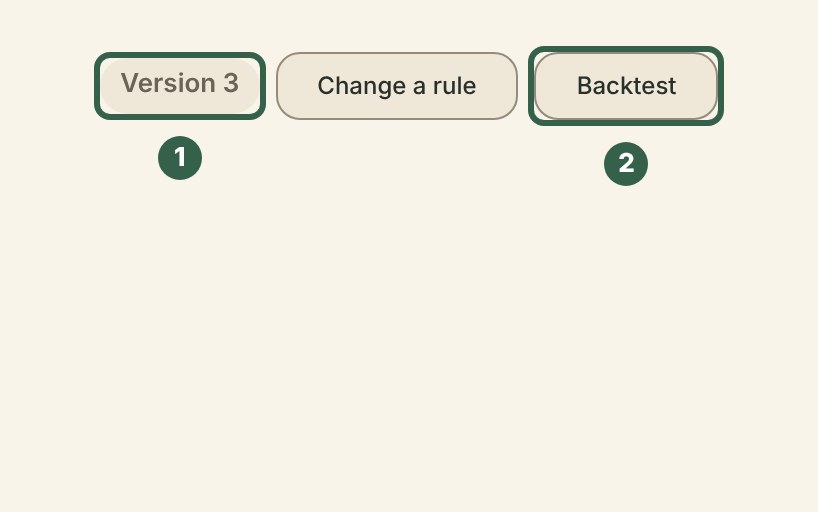
The version. Change a rule makes a new version, and a new version needs its own backtest. Any backtest you save of the version that runs is what the demo is measured against.
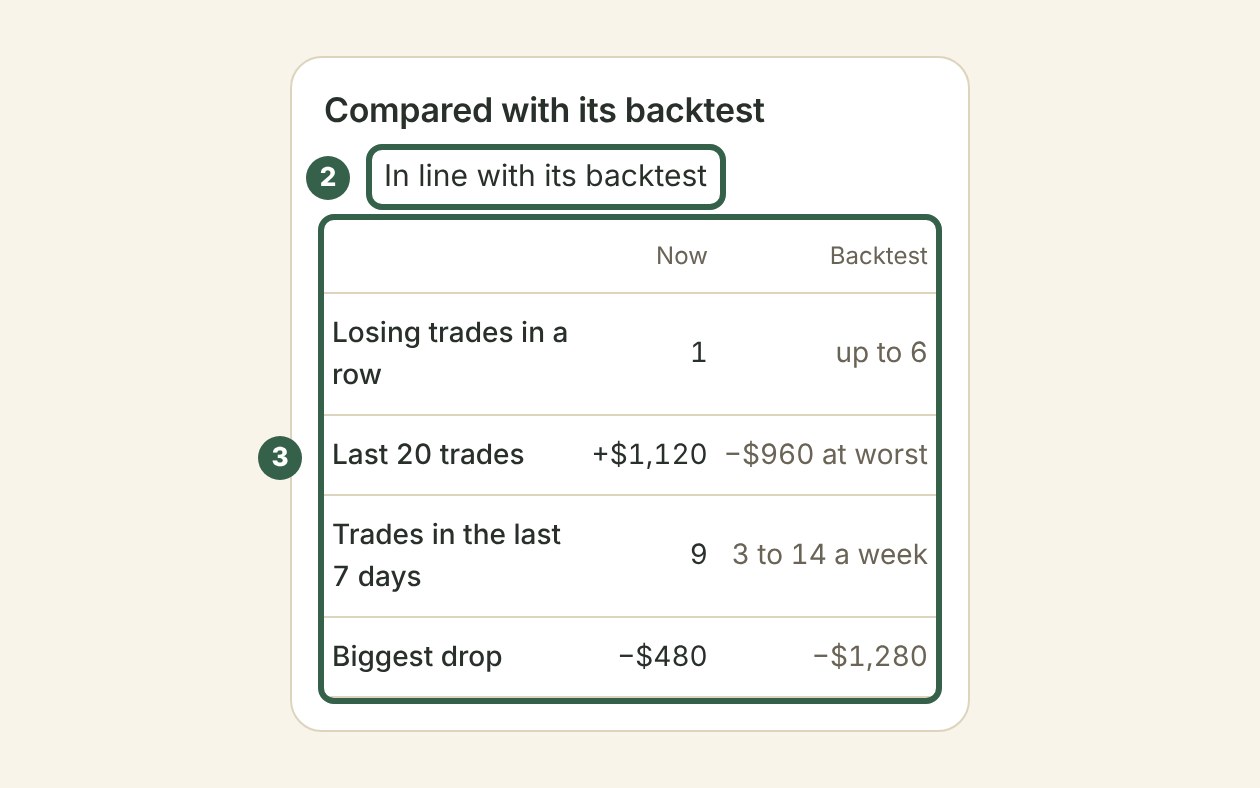
| Row | Now (demo) | Backtest |
|---|---|---|
| Losing trades in a row | 1 | up to 6 |
| Last 20 trades | +$1,120 | −$960 at worst |
| Trades in the last 7 days | 9 | 3 to 14 a week |
| Biggest drop | −$480 | −$1,280 |
Reading the panel. Each row puts the demo beside the backtest, before fees. In line with its backtest means every number is inside what the backtest did. Starting the demo run is in Run your strategy forward on the demo, and reading its trades is in Read what your strategy did. Why the two can differ is in Why forward results can differ.
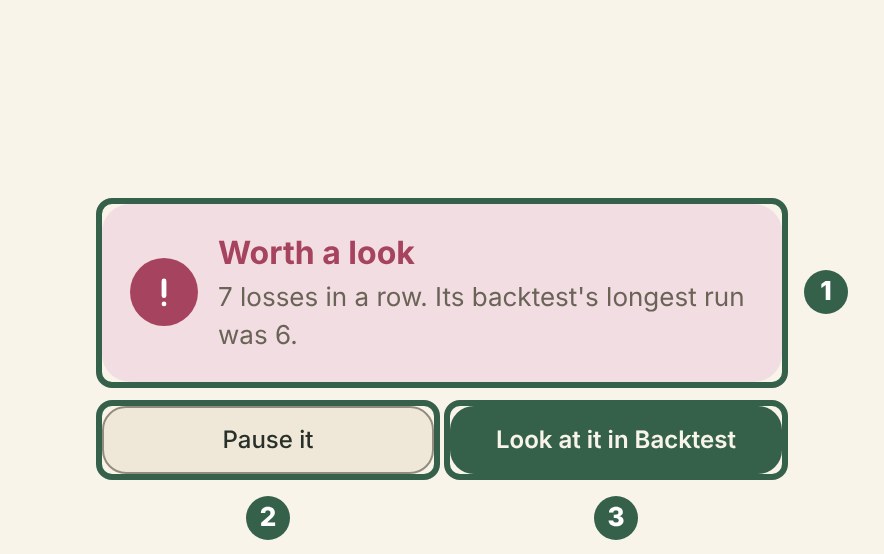
- A losing run longer than the backtest's longest.
- A drop deeper than the backtest's biggest.
- The last 20 trades lost more than any 20 in a row in the backtest.
- More trades in 7 days than the backtest ever took in a week.
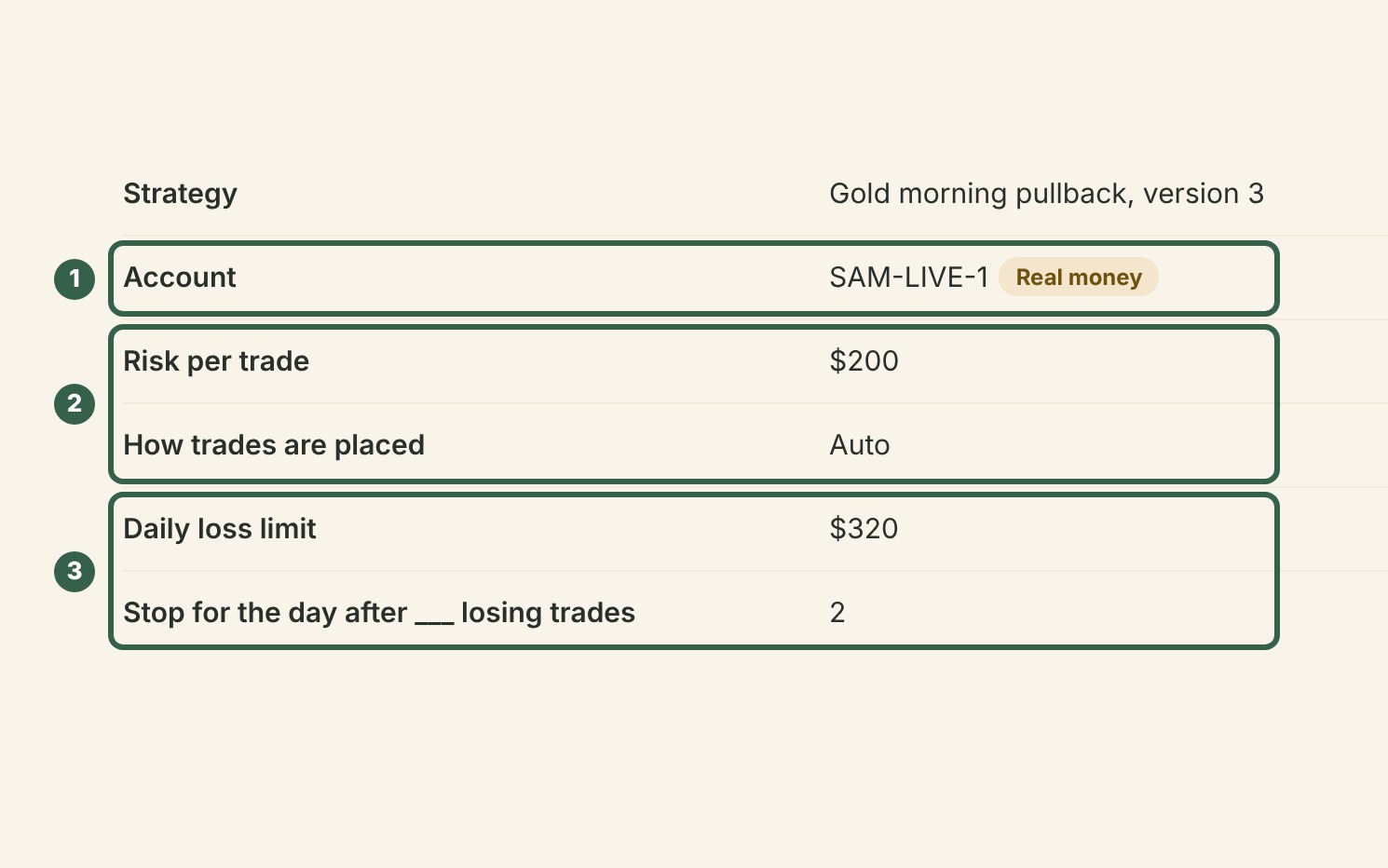
Switching on. On the strategy's page, press Run on another account, pick the real account and how trades are placed, and you reach Start. Check the account says Real money, and that Risk per trade, How trades are placed, Daily loss limit and Stop for the day after match lines 1, 6, 2 and 3. Press Start on SAM-LIVE-1, then Start. The first time, Wildflower also shows its risk statement.
How traders decide. We can't tell you which to choose. These are the common choices. How long on the demo: a set number of trades (30 is common), a set time (two to four weeks), or until every row has been tested. On Worth a look: pause and look, keep going while it stays inside a second line they wrote, or go back to the demo. The first real weeks: the smallest size (Starting small), the demo's size, or Ask me for the first week. More in Deciding when to use real money and Checking live trades against the test.
Lines 9 to 11 work with the Trade subscription, on your Wildflower demo. Switching a real account on needs Automate. No broker? The free demo on your practice chart runs in your browser, and its trades aren't on this panel.
Worked example
Made-up numbersSam's lines 9 to 11
Sam is made up. Version 3's backtest: longest losing run 6, worst 20 trades −$960, 3 to 14 trades a week, biggest drop −$1,280.
- Line 9: version 3 has its own backtest.
- Line 10: four weeks on the demo, 31 trades. Losing run 1, last 20 trades +$1,120, 9 trades in the last 7 days, biggest drop −$480. Every row is inside the backtest's, so it says In line with its backtest.
- Line 11: if it says Worth a look, he'll pause it and look in Backtest.
- Start step: SAM-LIVE-1 (Real money), $200, Auto, $320, 2 losing trades. Every row matches lines 1, 2, 3 and 6.
Every line ticked. SAM-LIVE-1 switched on with Start.
Trading is risky. You can lose money. This lesson shows how Wildflower works. It isn't advice.